
Prompt Engineering vs. Prompt Management: What's the Difference?
Confused about the terminology? Learn the difference between crafting prompts and managing them efficiently with a chrome-extension-prompt tool.
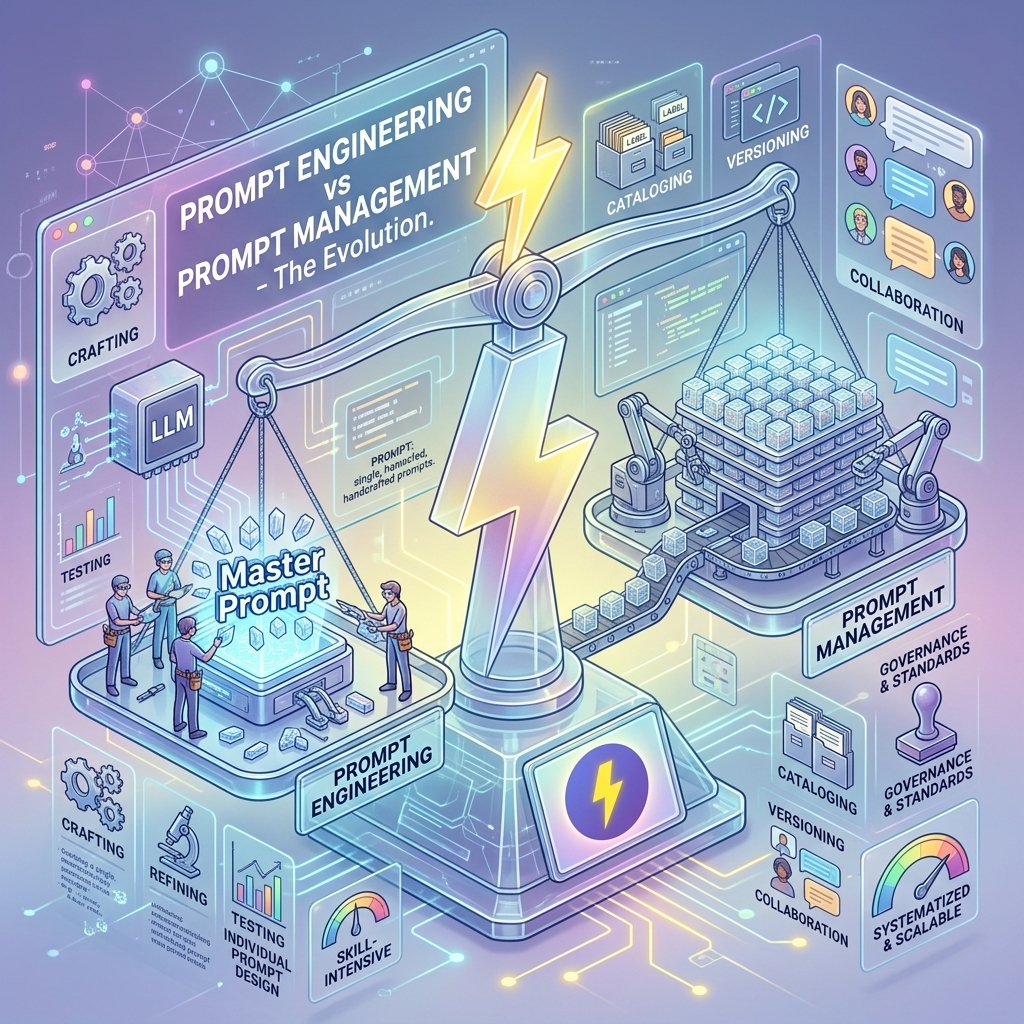
In the AI lexicon of 2026, two terms are often used interchangeably, yet they refer to completely different skill sets: Prompt Engineering and Prompt Management.
If you want to master the art of working with LLMs, you need to understand both. You can be a brilliant engineer but a terrible manager, and your productivity will suffer for it. Here is the breakdown.
Prompt Engineering: The "Art of the Ask"
Prompt Engineering is the process of crafting the actual text that goes into the AI. It is about understanding the model's psychology (so to speak). It involves:
- Zero-shot vs Few-shot: Deciding whether to give examples.
- Chain of Thought: Asking the AI to "think step by step."
- Persona adoption: "Act as a physicist..."
- Constraint setting: "Do not use passive voice."
Analogy to Coding: Prompt Engineering is like writing a function. You care about the logic, the inputs, and the correctness of the output.
Prompt Management: The "Logistics of Scale"
Prompt Management is the infrastructure around those prompts. Once you have engineered a perfect prompt, what do you do with it?
- Do you save it?
- How do you find it later?
- How do you insert it quickly?
- How do you share it?
This is where a prompt-manager-chatgpt tool comes in. It is not about creating the text; it is about operationalizing it.
Analogy to Coding: Prompt Management is like your IDE (Integrated Development Environment) or your GitHub repository. It optimizes the storage, retrieval, and deployment of your "functions."
The "Clipboard Gap"
The biggest mistake novices make is relying on their clipboard or memory.
- Novice Workflow: Scrolls up 400 lines in a chat history to find a prompt that worked yesterday -> Copies it -> Pastes it -> Modifies it manually.
- Pro Workflow (FlashPrompt): Types
/refactor-> Chooses the saved prompt -> Presses Enter.
The gap between these two workflows is massive. Over a year, the Pro workflow saves literally weeks of time.
Why You Need a Dedicated Tool
You might ask, "Can't I just use a Google Sheet?" Sure, you can. But a spreadsheet is disconnected from your workflow. A chrome-extension-prompt tool lives inside the environment where you are working.
The Context Switch Cost
Every time you Alt-Tab away from your AI chat to check a spreadsheet, you break focus. A browser extension like FlashPrompt overlays on your screen. You stay in context.
Reusable Template Markers
A spreadsheet can store text, but a prompt manager makes that text faster to retrieve and insert.
- Static: "Write a poem about dogs."
- Reusable: "Write a [STYLE] poem about [SUBJECT]."
FlashPrompt inserts the reusable prompt into the current text field. You replace the bracketed markers manually before sending it.
2026 Trends: The Hybrid Role
In 2026, we are seeing the rise of the "AI Ops" role. This person is part engineer, part manager. They are responsible for:
- Engineering: developing high-performance prompts for the company.
- Management: Distributing these prompts via a standardized prompt-manager-chatgpt library.
Conclusion
Don't confuse the recipe with the cookbook. Prompt Engineering is the recipe. It's the secret sauce. Prompt Management is the cookbook. It ensures you can find the recipe when the kitchen is on fire.
To be a complete AI power user, you need both effective prompts and an efficient way to deploy them. Tools like FlashPrompt handle the management side so you can focus on the engineering side.
Related guides
Claude Opus 5 Guide: What It Means for Prompt Workflows
A practical Claude Opus 5 workflow guide for using FlashPrompt to keep long-horizon AI work consistent and reusable.
Flashloop Prompt: What It Is and Why FlashPrompt Does It Better
Searching for a flashloop prompt tool? Discover how looping AI workflows work, what users are really looking for, and why FlashPrompt is the smarter choice for prompt automation and management.
Why Every Developer Needs a Prompt Manager Chrome Extension in 2026
Discover how a prompt manager Chrome extension can revolutionize your coding workflow. Learn about the benefits of local storage, instant access, and seamless integration with AI tools.
Ready to reuse these prompts?
Save the prompts from this guide in FlashPrompt, or start from a ready-made example in the prompt library.