
Flashloop Prompt: What It Is and Why FlashPrompt Does It Better
Searching for a flashloop prompt tool? Discover how looping AI workflows work, what users are really looking for, and why FlashPrompt is the smarter choice for prompt automation and management.
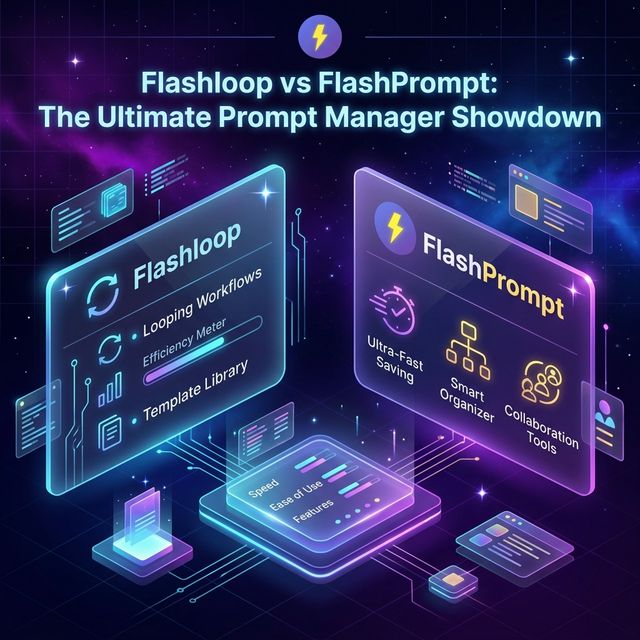
If you've been searching for a "flashloop prompt" tool, you're not alone. The term has started popping up in productivity forums, AI communities, and developer circles — and it reflects a very real and very underserved need: looping, repeatable, automated AI prompt workflows.
In this guide, we'll break down exactly what people mean when they search for "flashloop prompt," why standard tools fall short, and how FlashPrompt delivers a superior solution for anyone who needs to automate and manage their AI interactions at scale.
What Does "Flashloop Prompt" Actually Mean?
Let's start with the concept. "Flashloop" in the context of AI prompting typically refers to one of two things:
- A rapid iteration loop — where a user repeatedly fires the same or similar prompts with small variations to test, refine, and optimize AI output.
- A looping workflow — where one AI response feeds into the next prompt, creating a chain or sequence of automated instructions.
Both use cases share a common thread: speed, repetition, and precision. Users who search for "flashloop prompt" are looking for a tool that lets them move fast, eliminate copy-paste friction, and operate at the pace of their thinking — not at the pace of their keyboard.
The frustration? Most tools just give you a static list of saved prompts. They don't help you loop, chain, or iterate intelligently. That's the gap FlashPrompt was designed to fill.
The Real Pain: Why Manual Prompt Loops Fail
Picture this common scenario for a developer or content creator:
- You open ChatGPT.
- You type (or paste) a prompt to generate a blog section.
- You review the output, tweak a word or two in the original prompt.
- You switch back to your notes app, find the updated version.
- You copy, switch tabs, paste, run.
- Repeat 15 times for a full article.
This manual "flash loop" is exhausting. Every iteration costs you 25–40 seconds of context switching. Multiply that by 15 rounds, and you've spent nearly 10 minutes purely on logistics — not on creating.
The cognitive cost is even higher. Each tab switch breaks your flow state. You lose the thread. The result? Worse output, slower work, mounting frustration.
How FlashPrompt Solves the Flashloop Problem
FlashPrompt was architected with the loop-heavy power user in mind. Here's how it directly addresses every friction point:
1. Instant Trigger Expansion
Instead of navigating to a note and copy-pasting, you type a short keyword trigger directly in the AI chat box. Type -refine-blog and your full, detailed refinement prompt expands instantly.
The loop becomes: type trigger → review → adjust one variable → type trigger again. No tab switching. No copy-paste. Pure flow.
2. Placeholder-Based Templates for Rapid Iteration
The "flashloop" use case often requires changing one or two parameters while keeping the prompt structure constant. Save visible placeholders in the prompt text:
Rewrite the following paragraph in a [TONE] tone, targeting a [AUDIENCE] audience:

[PARAGRAPH]
Each time you insert the prompt, replace [TONE], [AUDIENCE], and [PARAGRAPH] manually before sending it. FlashPrompt handles storage and fast insertion; it does not fill those values automatically.
3. Sequential Prompt Chains
True flashloop workflows often involve sequences — Step 1 generates an outline, Step 2 writes a section, Step 3 edits for tone. FlashPrompt lets you save each step as a named prompt and move through your sequence using keyboard shortcuts.
-outline→ generates structure-write-section→ expands a point-edit-concise→ trims and polishes
Your "flashloop" is now a choreographed keyboard sequence. It feels like playing a musical instrument — fast, precise, and deeply satisfying.
4. Fuzzy Search That Keeps You Moving
In a rapid loop, you shouldn't be hunting for the right prompt. FlashPrompt searches trigger keywords and saved prompt content. Even if you cannot remember the exact keyword, typing a few relevant characters can surface the right option.
No scroll. No hunting. Just flow.
Building Your Own Flashloop Workflow with FlashPrompt
Here's a practical example — a flashloop content creation workflow for a blogger:
Goal: Write and refine a 2,000-word blog post using an iterative AI loop.
Phase 1 — Structure
- Trigger:
-blog-outline - Prompt: "Generate a detailed outline for a blog post titled [TITLE]. Include 6 sections with 3 sub-points each. Target keyword: [KEYWORD]."
Phase 2 — Draft each section
- Trigger:
-blog-write - Prompt: "Write the full [SECTION] section of the outline below. Be authoritative and specific. Include examples. [OUTLINE]"
Phase 3 — Refine tone
- Trigger:
-blog-edit - Prompt: "Edit the following for clarity and tone. Make it more direct and punchy. Remove filler phrases. [DRAFT]"
Phase 4 — SEO check
- Trigger:
-blog-seo - Prompt: "Review this paragraph for SEO. Suggest one natural integration of the keyword [KEYWORD]. [PARAGRAPH]"
This entire "flashloop" takes your raw idea to a polished draft in a structured, repeatable way. Each loop iteration is tighter, faster, and better than the last.
Comparing Flashloop-Style Tools: What to Look For
If you're evaluating tools for your prompt loop workflows, here's a checklist:
| Feature | What to Look For | FlashPrompt |
|---|---|---|
| Trigger Speed | Sub-second expansion | ✅ Instant |
| Template Editing | Clear visible placeholders | ✅ Edit after insertion |
| Keyboard Navigation | No mouse required | ✅ Arrow keys + Enter |
| Fuzzy Search | Finds prompts by partial match | ✅ Full fuzzy match |
| Privacy | Local storage only | ✅ 100% local |
| Cross-platform | Works on ChatGPT, Claude, Gemini | ✅ All major AI platforms |
| Ownership | Pay once, no subscription | ✅ Lifetime access |
Why "Flashloop" Users Choose FlashPrompt Over Generic Tools
Many users who initially searched for "flashloop prompt" tools were drawn to the idea of speed above all else. What they often found instead were:
- Cloud-syncing tools that introduce latency and privacy risks
- Prompt libraries with no keyboard-first design (mouse required)
- Extensions that only work on ChatGPT, not Claude or Gemini
- Subscription models with monthly fees for features you use daily
FlashPrompt takes a different philosophy. It's local-first (your data stays on your machine), keyboard-native (designed for people who keep their hands on the keyboard), and platform-agnostic (works wherever there's a text box).
Most importantly, it's a one-time purchase. Buy it once, own it forever. No monthly fees eating into your productivity gains.
The ROI of a Proper Flashloop Setup
Let's quantify the value. Assume you're a knowledge worker who:
- Uses AI 40 times per day
- Runs 3 iterative refinements per AI task on average
- Currently spends 20 seconds on non-FlashPrompt friction per loop iteration
Daily friction cost: 40 tasks × 3 loops × 20 seconds = 2,400 seconds = 40 minutes/day Monthly: ~13 hours Annual: ~160 hours (~4 full work weeks)
Eliminating that friction with a well-configured FlashPrompt setup saves you a literal month of productivity every year.
Getting Started: Your First Flashloop Setup
- Download FlashPrompt from the Chrome Web Store or Edge Add-ons.
- Create your first looping sequence — identify a 3-step task you do repeatedly (e.g., research → draft → edit).
- Save each step as a triggered prompt with a logical prefix (e.g.,
-r-research,-r-draft,-r-edit). - Add variables wherever a value changes between loop iterations.
- Practice the keyboard loop: trigger → review → tweak → trigger again.
Within a week, your flashloop is muscle memory. Within a month, you cannot imagine working without it.
Conclusion
The "flashloop prompt" concept is a genuine productivity paradigm — and the users searching for it are among the most sophisticated AI practitioners out there. They aren't looking for a tool to manage a list. They're looking for a tool that can keep up with the velocity of their thinking.
FlashPrompt is that tool. It's the fastest, most privacy-respecting, keyboard-native prompt management system available — purpose-built for the kind of rapid, iterative AI workflows that define serious power users.
Stop looping manually. Start flashing.
Explore FlashPrompt — one-time purchase, lifetime access.
Ready to supercharge your AI workflow?
Join thousands of professionals using FlashPrompt to manage their AI prompts with lightning-fast keyword insertion and secure local storage.