
Why Every Developer Needs a Prompt Manager Chrome Extension in 2026
Discover how a prompt manager Chrome extension can revolutionize your coding workflow. Learn about the benefits of local storage, instant access, and seamless integration with AI tools.
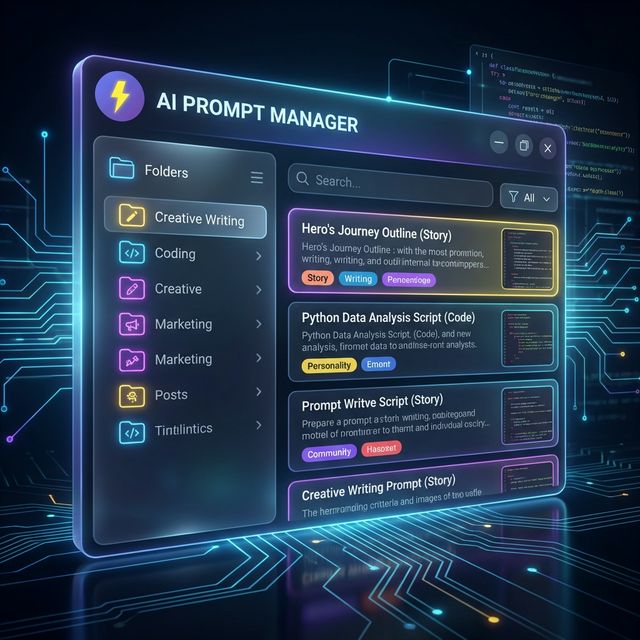
In the rapidly evolving landscape of software development, the year 2026 has marked a definitive shift in how we interact with artificial intelligence. The browser has become the new IDE for many, serving as the primary interface for researching, debugging, and generating code with LLMs. Amidst this shift, one tool has emerged as non-negotiable for the serious developer: the prompt manager Chrome extension.
If you are still copying and pasting prompts from a text file or, worse, typing them out from scratch every time, you are leaking productivity. This article explores why a dedicated Chrome extension for prompt management is the single highest-ROI tool you can install this year.
The Evolution of the "Prompt"
Three years ago, a "prompt" was a simple question. Today, it is a complex engineering artifact. A good developer prompt might include:
- A specific persona ("Act as a Senior Rust Engineer")
- Contextual constraints ("Use async/await, avoid unwrap()")
- Output formatting rules ("JSON only, no markdown preamble")
- Few-shot examples
Managing these artifacts in a static note-taking app is no longer viable. You need a tool that lives where you work: the browser.
Why a Chrome Extension?
The power of a prompt manager Chrome extension lies in its contextual immediacy. Unlike a desktop app that requires you to context-switch (Cmd+Tab), a browser extension is an overlay on your current reality.
1. Zero-Latency Access
Imagine you are on GitHub, reviewing a PR. You see a complex function that looks inefficient. With a tool like FlashPrompt, you simply type -optimize-code directly into the comment box. The extension instantly expands this into a structured prompt asking an AI to analyze time complexity and suggest improvements. You didn't leave the tab. You didn't break your flow.
2. DOM-Aware Context
The best extensions in 2026 are DOM-aware. They can read the selection on the screen.
- Scenario: You are reading a StackOverflow error log.
- Action: Highlight the error -> Right Click -> "Explain this Error".
- Result: The extension captures the error text, wraps it in your pre-saved "Debugging Guru" prompt, and opens your preferred AI model with the query ready to go.
3. Local-First Security
Security is the elephant in the room. As developers, we often paste sensitive code snippets into prompts. A cloud-based prompt manager adds another vector of risk.
Leading prompt manager Chrome extensions like FlashPrompt operate on a "Local-First" architecture. Your library of proprietary prompts is stored in chrome.storage.local. They never leave your machine unless you explicitly export them. This compliance-friendly design is why many CTOs are mandating local-only extensions.
Key Features to Look For
Not all extensions are created equal. When evaluating a prompt manager Chrome extension, look for these "Must-Have" features:
The "SavePrompt" Workflow
The ability to save a prompt as you write it is crucial. You shouldn't have to go to a dashboard to create a new entry. Look for a "Save Selection" feature that lets you highlight successful text and turn it into a reusable template instantly.
Reusable Template Markers
Reusable prompts should make changing inputs obvious.
- Less reusable: "Write a unit test for this function."
- More reusable: "Write a unit test for [FUNCTION] using [TESTING FRAMEWORK], covering [EDGE CASES]."
FlashPrompt inserts the saved template. Replace the visible markers manually before sending it; automatic variable forms are not a current feature.
Cross-Platform Compatibility
FlashPrompt supports Chrome and Edge. Pro users can export and import CSV files when moving a library between supported browser profiles or devices; automatic cloud sync is not a current feature.
Real-World Use Cases
Let's look at how a prompt manager Chrome extension optimizes a typical dev loop.
Case Study: rapid Prototyping
Without Manager:
- Open ChatGPT.
- Type: "Create a React component for a navbar."
- Result: Generic, unstyled HTML.
- Refine: "No, use Tailwind CSS."
- Refine: "Make it responsive."
- Refine: "Use Lucide icons."
With FlashPrompt:
- Open ChatGPT.
- Type:
-react-comp. - Modal appears: Component? "Navbar". Style? "Tailwind". Icons? "Lucide".
- Result: Production-ready code in the first shot because your saved prompt included all your team's best practices and linting rules.
Time Saved: 4 minutes per component. Detailed over a year, that is weeks of engineering time.
SEO and Discovery
It is interesting to note the rise in search volume for prompt manager Chrome extension. It indicates a maturing market. Developers are moving past the "wow" phase of AI and into the "how do I operationalize this?" phase.
Tools that succeed in this space focus on speed and invisibility. The best tool is the one you don't notice until you are on a new machine and suddenly feel crippled without it.
Conclusion
The prompt manager Chrome extension is not just a utility; it is a force multiplier. It turns every text box on the internet into a command line for your intelligence.
If you are serious about engineering in 2026, you cannot afford to be typing the same instructions twice. Invest in your toolkit. Build your library. Own your workflow.
Ready to upgrade your workflow? Check out FlashPrompt, the privacy-first prompt manager designed for the modern web. Pay one small fee, use it forever.
Related guides
Why Every Developer Needs a Prompt Manager for ChatGPT in 2026
Coding in 2026 requires more than just an IDE. Learn how a prompt-manager-chatgpt tool like FlashPrompt can double your coding velocity.
Prompt Manager Chrome Extension Checklist: 12 Features That Actually Matter in 2026
Choosing a prompt manager Chrome extension? Use this checklist to evaluate SavePrompt capture, -keyword expansion, local-first storage, imports, and ownership-friendly pricing.
Chrome Extension Prompt Manager: Best Picks for 2026
Compare Chrome extension prompt managers for 2026. See why a local-first tool beats cloud libraries for speed, privacy, and daily reuse.
Ready to reuse these prompts?
Save the prompts from this guide in FlashPrompt, or start from a ready-made example in the prompt library.