
Seedance 2.5 Prompt Workflow: Build a Repeatable AI Video Production System
A practical Seedance 2.5 prompt workflow for organizing video briefs, preserving creative consistency, and producing faster with FlashPrompt.
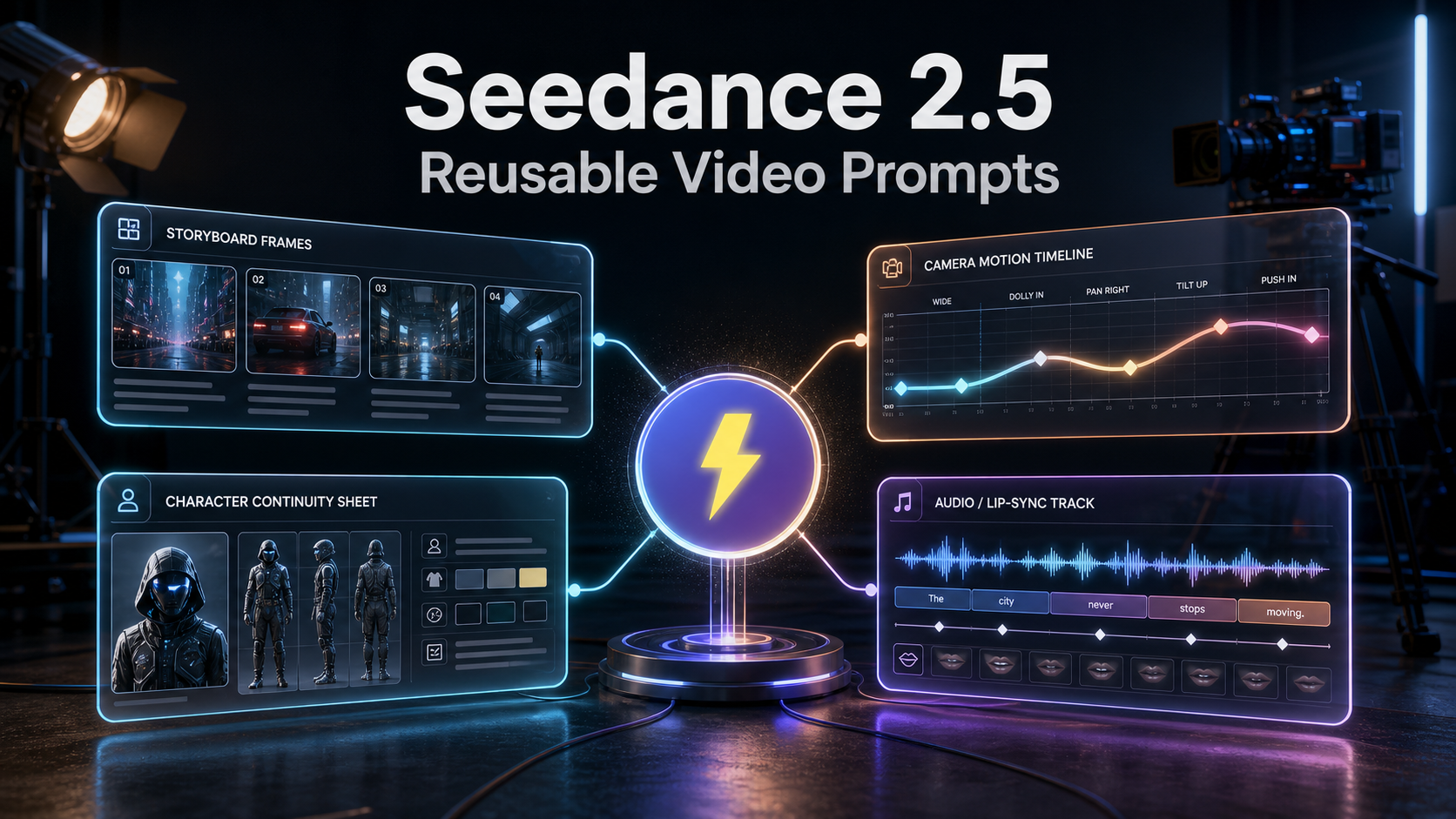
Seedance 2.5 is positioned by ByteDance's official Dreamina page as a production-oriented AI video model for cinematic 4K output, 30-second videos, R2V references, and up to 50 multimodal inputs. The same page also lists precise local editing, support for text-to-video and image-to-video workflows, and a beta long-video mode that can extend to 180 seconds.
The availability detail matters: the official page currently says Seedance 2.5 is "coming soon." Treat the listed capabilities as the product direction Dreamina has published, not as a reason to assume every account, market, or workflow can use every feature today. Before planning a campaign around a specific duration, output format, or beta mode, check the model selector in your own Dreamina workspace.
For creators, the main change is not simply a larger specification sheet. A 30-second generation with up to 50 references gives one prompt much more responsibility. It can carry product images, a script, a style guide, audio direction, scene references, and motion guidance at once. The reliable part of that workflow is saving the creative decisions that make a good video brief repeatable: subject identity, camera language, sound direction, pacing, composition, and the rules that protect the brand.
This is where FlashPrompt fits. Seedance can generate the footage; FlashPrompt helps you preserve the instructions that make the footage usable again.
What Seedance 2.5 changes in a video brief
Dreamina describes Seedance 2.5 as a model that can use R2V references, including green-screen film or white-model references, to guide character movement, spatial placement, and interactions. It also describes a workflow that can combine scripts, photos, videos, music, and style guides, alongside local edits that preserve the rest of a scene.
Those controls make a production brief more valuable. Instead of asking only for a visual style, you can prepare a clear relationship between the inputs: which asset supplies the product form, which one defines the character, what the camera must do, what the audio must support, and which scene region is allowed to change during an edit. Seedance's earlier official 2.0 launch already established the same core direction: unified text, image, audio, and video reference with attention to composition, motion, camera language, and sound characteristics.
When a video model evolves, creators naturally look for better prompt adherence, stronger reference handling, more coherent scenes, and less manual cleanup. The larger input set makes that possible, but it also raises the cost of a disorganized brief.
More inputs make a video system more expressive, but they also create more ways for a project to drift. A vague text prompt might still produce an eye-catching clip. A production brief needs more than that. It needs a stable answer to questions such as:
- Who or what must remain visually consistent across the full 30-second shot?
- Which of the available references is the authority for wardrobe, product shape, or setting?
- How should the camera move, and what should the subject do at each story beat?
- What should the character say, and how should the audio support the scene?
- Which details are forbidden because they conflict with the campaign or legal rules?
- If you use local editing, which element may change and which elements must stay fixed?
- What counts as a usable result rather than an interesting experiment?
Treat Seedance 2.5 as a production system, not a reason to discard these foundations. A well-organized prompt library gives you a controlled way to test new capabilities against the work that already matters.
Why AI video output becomes inconsistent
Most inconsistency begins before generation. The creator remembers the broad idea but loses the exact wording that produced a successful frame, motion path, or audio treatment. The next prompt is rebuilt from memory, a few constraints disappear, and the new result looks like it belongs to a different project.
This gets worse when a workflow combines several creative layers:
- A scene description establishes the environment and subject.
- A character anchor defines the traits that must stay unchanged.
- A camera module defines the shot size, movement, lens feeling, and pacing.
- An audio module defines ambience, dialogue intent, timing, or lip-sync expectations.
- A negative-constraint module defines what must not appear.
Keeping all of that in a scattered document creates friction. Keeping it only in a chat history makes it difficult to find, compare, and reuse. The right goal is not one huge prompt that tries to do everything. It is a small set of proven modules that can be assembled into a dependable brief.
Build a reusable Seedance prompt library in FlashPrompt
FlashPrompt is a browser-based prompt manager built for this repeated work. Save a prompt once, organize it, find it quickly, and insert it with a keyword shortcut when you are ready to create. You can also select useful text on a page and save it into the library without breaking the research or production flow.
For Seedance-style AI video work, organize the library around the decisions you make repeatedly:
- Project anchors: approved product facts, audience, visual identity, and non-negotiable brand rules.
- Character anchors: appearance, wardrobe, expression, movement limits, and details that must remain constant across clips.
- Camera modules: establishing shot, slow push-in, locked-off product shot, tracking shot, handheld energy, and transition behavior.
- Audio modules: room tone, voice direction, timing notes, sound effects, and music restraint.
- Scene modules: locations, lighting, weather, material detail, and time of day.
- Quality checks: readable product surfaces, no unwanted text, no prohibited likenesses, clean framing, and a clear shot purpose.
Give each module a short, predictable trigger. For example, -video-character-nova, -video-camera-push, or -video-audio-calm. When a sequence needs a new variation, you can assemble the same tested building blocks instead of recreating them from memory.
A practical prompt template to save
Save a base brief in FlashPrompt, then use it as the parent for individual shots:
Project goal:
Create a short video for {{audience}} that communicates {{message}}.

Subject anchor:
Use {{character_or_product}}. Preserve these fixed traits: {{non_negotiable_details}}.

Scene:
{{setting}}, {{time_of_day}}, {{lighting}}, {{visual_style}}.

Camera and action:
{{shot_size}}. {{camera_movement}}. The subject {{primary_action}}.

Audio direction:
{{ambience}}. {{dialogue_or_sound_cue}}. Keep the audio aligned with the action.

Constraints:
- Do not introduce new characters, logos, text, or costume changes.
- Keep the product or character easy to identify throughout the shot.
- Avoid copyrighted characters, real-person likenesses, and brand-confusing elements.

Success criteria:
The result should have one clear visual idea, intentional motion, stable subject identity, and usable framing for {{destination}}.
This template does not guarantee any model output. It does something more practical: it keeps the inputs under your control. When a generation misses the mark, you can identify which module needs improvement instead of guessing what changed in a long, improvised prompt.
Use versioned prompts to improve faster
The fastest creators do not merely generate more clips. They learn from each generation.
After a successful output, save the exact brief with a meaningful name: launch-film-v3, product-closeup-warm-light, or founder-story-audio-pass. After an unsuccessful output, preserve the lesson as a small note or revised module: perhaps the camera phrase caused too much motion, the character anchor lacked a fabric detail, or the audio request was too broad.
This creates a simple feedback loop:
- Start from a trusted FlashPrompt template.
- Change one meaningful variable for the new shot.
- Compare the result with the intended creative rule.
- Keep the improvement as the next version of the module.
- Reuse the stronger version across future work.
Over time, your prompt library becomes production memory. It captures decisions that would otherwise disappear in browser tabs, chat logs, and last-minute revisions.
Why this improves productivity without sacrificing control
AI video can reduce the time needed to explore a concept, but only a repeatable process reduces the time needed to deliver a coherent series of videos. FlashPrompt cuts the repeated setup work: there is no need to rewrite your approved character description, camera language, or compliance rules for every new generation.
It also keeps sensitive creative directions close to the creator. FlashPrompt stores prompts locally by default, which is useful when your library contains launch concepts, internal messaging, or unreleased product descriptions. Its lifetime-access model means you pay once and use the tool without adding another recurring subscription to the creative stack.
The outcome is a more stable system: faster starts, more consistent video briefs, easier iteration, and clearer handoffs between people working on the same campaign. Whether you are using Seedance 2.5 today or preparing your library for its availability in Dreamina, the working principle stays the same. Use the video model for generation. Use FlashPrompt to retain the prompt system that makes your output dependable.
Sources: Official Seedance 2.5 AI Video Generator, Seedance 2.0 Official Launch, and Seedance 1.5 Pro: A Native Audio-Visual Joint Generation Foundation Model.
Ready to supercharge your AI workflow?
Join thousands of professionals using FlashPrompt to manage their AI prompts with lightning-fast keyword insertion and secure local storage.