
Prompt Manager Extension: The Definitive Buyer's Guide
Looking for the best prompt manager extension for Chrome? This guide covers everything you need to know — key features, red flags, and why FlashPrompt leads the category.
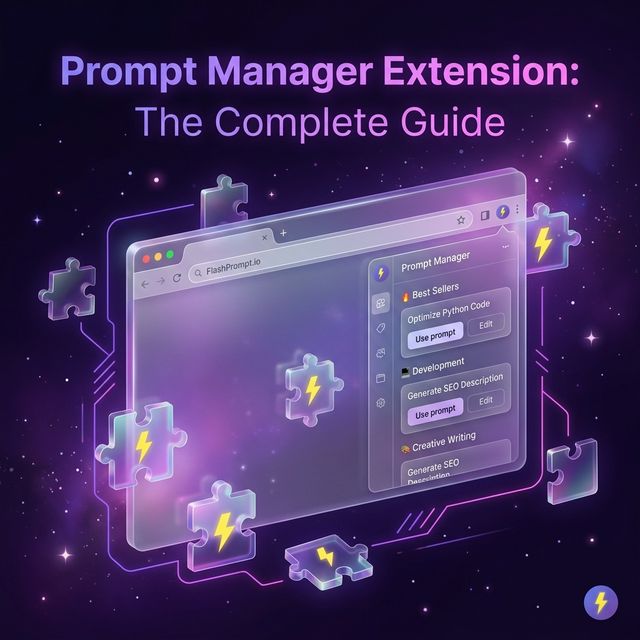
The browser extension ecosystem for AI prompt management has exploded. Search the Chrome Web Store for "prompt manager" and you'll find dozens of options — each promising to organize your prompts, accelerate your workflows, and transform your AI productivity.
Most of them will disappoint you.
This guide cuts through the noise. We'll cover exactly what a great prompt manager extension should do, the red flags that signal a bad product, and the criteria that separate genuinely useful tools from glorified clipboard managers.
Why You Need a Prompt Manager Extension
Before we get into the how, let's nail down the why. If you're still managing your AI prompts with:
- A Google Doc you have to tab-switch to
- Apple Notes or Notion pages you search through manually
- Your browser history (shudder)
- Your memory (absolutely not)
...then you're operating at a significant deficit compared to users with a proper prompt manager extension.
The core value proposition is simple: a prompt manager extension puts your best prompts exactly where you need them, without interrupting your flow. You stay in the AI chat. The prompt comes to you. You never leave the keyboard.
For heavy AI users — developers, content creators, researchers, customer success teams — this can save 30–60 minutes per day.
The 8 Features That Define a Great Prompt Manager Extension
Not all extensions are created equal. Here's the definitive checklist:
1. Inline Trigger Expansion
The best prompt manager extensions let you type a short keyword directly in the AI input box and have it expand into the full prompt text. No popup to navigate, no sidebar to click — just type and the prompt appears.
Why it matters: Anything requiring a mouse click or tab switch breaks your flow. Inline expansion keeps you in a creative state.
Red flag: Extensions that require you to open a popup, search, click to copy, then paste. That's a clipboard manager, not a prompt manager.
2. Real Search — Not Just Title Matching
When you have 50+ prompts, search becomes critical. A good extension searches:
- Your keyword trigger
- The saved prompt content
Fuzzy search is ideal — finding "refactor" even if you typed "refc."
Red flag: Search that only matches exact words in titles. Useless after 20 prompts.
3. Quick Save from Selection
Useful prompts often emerge while you are already working. A practical extension should let you select successful text on a page and save it without opening a separate document.
For values that change, keep visible placeholders such as [TONE] or [ISSUE] in the saved text. FlashPrompt inserts the template quickly, and you replace those markers manually before sending it.
Red flag: A capture flow that forces you to leave the page and rebuild the prompt from memory.
4. Platform Agnosticism
A prompt manager extension should work on every AI platform — not just ChatGPT. You're likely using:
- ChatGPT (OpenAI)
- Claude (Anthropic)
- Gemini (Google)
- Perplexity
- Mistral, Groq, or local models via web UIs
Good extensions work on any text field on any website. They inject into the DOM without platform-specific code.
Red flag: Extensions that only support ChatGPT. When your workflow includes Claude or Gemini, you're back to tab-switching.
5. Local Storage and Privacy
Your prompt library is intellectual property. Proprietary formulas, client communication scripts, competitive research frameworks — these are things you should not be comfortable storing on a third-party server.
The best prompt manager extensions store data 100% locally in Chrome's sandboxed storage. No accounts required. No cloud sync. No data exposure risk.
Red flag: Any extension that requires account creation and stores your prompts server-side without clear data policies.
6. Import and Export
Data portability matters. A good extension lets you:
- Import prompts from a CSV file (great for migrating from Notion or documenting templates)
- Export your library (backup, team sharing, device migration)
Red flag: No export functionality. Being locked into a tool's proprietary format is a risk.
7. Keyboard-Native UX
For workflow tools, keyboard efficiency is king. Look for:
- Arrow keys for navigating the prompt list
- Enter to select and expand
- Escape to dismiss without disruption
Red flag: Only mouse-driven UX. Mousing to a sidebar kills speed.
8. Lightweight Footprint
A prompt manager extension should be invisible when you don't need it. It should not:
- Slow down page loads
- Inject heavy overlays that break site layouts
- Show intrusive banners or popups
The best ones are like a skilled assistant — present when called, invisible otherwise.
Red Flags to Watch For
Beyond the feature checklist, look out for these extension-category traps:
The "Swiss Army Knife" Trap
Extensions that try to do everything — summarize pages, write emails, manage prompts, AND browse the web — do nothing well. A focused tool always wins. Pick an extension that does prompt management exceptionally, not "okay" at many things.
Subscription Pricing for Basic Features
Many extensions lock basic functionality behind a monthly fee. This creates ongoing cost without guaranteeing ongoing value. The best tools in this category use a one-time purchase model — you buy the capability, you own it.
Unclear Data Handling
If an extension's privacy policy vaguely mentions "anonymized data" or "service improvement," your prompt text may be used to train models or sold to third parties. Your prompt library is your intellectual property. Treat it that way.
Lack of Active Development
Check the extension's last update date in the Chrome Web Store. An extension that hasn't been updated in 12+ months is likely abandoned. AI platforms update their UIs constantly — an inactive extension will break.
How FlashPrompt Checks Every Box
Let's apply the entire checklist to FlashPrompt — the extension that set the standard for this category.
| Criterion | FlashPrompt |
|---|---|
| Inline trigger expansion | ✅ Type trigger in-chat, prompt expands instantly |
| Keyword and content search | ✅ Searches triggers and saved prompt content |
| Quick save from selection | ✅ Saves selected page text as a new prompt |
| Platform agnostic | ✅ Works on ChatGPT, Claude, Gemini, Perplexity, GitHub, and more |
| Local prompt storage | ✅ Prompt content stays in browser storage; license verification is separate |
| Import / Export | ✅ CSV import/export for Pro users |
| Keyboard-native UX | ✅ Full keyboard navigation, no mouse required |
| Lightweight | ✅ Minimal performance impact |
| Actively maintained | ✅ Regular updates |
| Pricing model | ✅ One-time purchase (Pay Once, Use Forever) |
Setting Up Your First Prompt Manager Extension
Once you've chosen FlashPrompt, here's the fastest path from installation to productivity:
Week 1: Foundation
- Install FlashPrompt from the Chrome Web Store or Edge Add-ons.
- Add your first 5 prompts — pull them from wherever you currently store them (Notion, Google Docs, memory).
- Assign trigger keywords following the prefix system:
-c-for code,-w-for writing,-e-for email. - Practice the trigger flow in your AI tool of choice. Muscle memory forms quickly.
Week 2: Expansion
- Save prompts in real time — every prompt you type that produces great output, save it before closing the tab.
- Add variables to your most-used templates.
- Organize with categories or a consistent naming system.
Month 1: Optimization
- Audit your library — identify the 20% of prompts doing 80% of the work.
- Refine underperformers — update prompts based on what you've learned about AI behavior.
- Share your best prompts with your team via CSV export.
The Real Competitive Advantage
Every knowledge worker using AI has a prompt library — whether they know it or not. Informal, scattered, mostly in their head. The ones with a formal, structured, instantly-accessible library operate at a different level of efficiency.
A good prompt manager extension is the infrastructure that turns your informal, scattered library into a professional system. It's the difference between fishing in a river and casting from a boat with sonar.
The technology is the same. The system makes all the difference.
Conclusion
The prompt manager extension market is crowded but uneven. Most tools are clipboard managers with AI branding. A great prompt manager is fast, private, keyboard-native, platform-agnostic, and owned outright — not rented.
FlashPrompt is the only extension that currently hits all of those marks simultaneously. It's not free — it's a professional tool with a professional price point and a one-time purchase model that respects your time and your data.
If you're serious about AI productivity, stop managing prompts manually.
Install FlashPrompt — the last prompt manager extension you'll ever need.
Related guides
Chrome Extension Prompt Manager: Local Prompt Workflow Guide
Learn how a Chrome prompt manager stores, finds, and inserts reusable AI prompts, plus the current capabilities and limits of FlashPrompt.
Prompt Manager Extension Guide: Save and Reuse AI Prompts
Learn how browser prompt managers work and where FlashPrompt's local storage, keyword retrieval, quick save, and CSV portability fit.
Unleashing GLM-5.2: Optimizing Open-Source Agentic AI with a Prompt Manager Extension
Discover how Z.ai's new GLM-5.2 model redefines autonomous coding and how to streamline your 1-million-token context workflows using a professional prompt manager.
Ready to reuse these prompts?
Save the prompts from this guide in FlashPrompt, or start from a ready-made example in the prompt library.