
Prompt Library System: Local-First Management Guide (2026)
Build a local-first prompt library for ChatGPT, Claude, and Gemini: save templates, organize keywords, and reuse prompts across workflows.
Most people think a "prompt library" is a folder full of prompts.
In practice, that doesn't work. A folder becomes a mess, search becomes unreliable, and you end up rewriting the same instructions again anyway. That's why the best teams in 2026 don't just store prompts -- they run a prompt management system.
This post is a blueprint you can copy. It's designed for anyone trying to:
- save prompts in ChatGPT (and not lose them)
- manage prompts across Claude and Gemini without reformatting
- keep everything local-first for privacy and performance
- scale from 20 prompts to 200+ without turning your library into chaos
The Real Goal: One Library, Many Models
In 2026, prompt work rarely happens in a single place. You might:
- brainstorm in ChatGPT
- refine a long document in Claude
- do multimodal extraction in Gemini
Your prompt library should work everywhere. That means prompts must be:
- Model-agnostic: avoid tool-specific UI instructions
- Composable: separate tone, format, and constraints into fragments
- Searchable: consistent names + tags
- Insertable: reusable in seconds, not minutes
This is exactly why "prompt manage" is now a real discipline: prompt engineering plus retrieval plus operational hygiene.
Step 1: Decide What You're Actually Saving
If you save everything, you save nothing. The library must stay small enough to trust.
Save these categories:
A) Templates (repeatable tasks)
Examples:
- "Weekly status update"
- "Bug report reproduction"
- "SEO blog outline"
- "Customer support reply (empathetic, policy-safe)"
B) Fragments (reusable building blocks)
Examples:
- tone block
- formatting block
- verification block ("ask questions if missing inputs")
C) Checklists (process prompts)
Examples:
- "PR review checklist"
- "Security review checklist"
- "Interview loop debrief"
Avoid saving:
- prompts that depend on a specific conversation thread
- prompts that are mostly pasted data (that belongs in context, not the template)
Step 2: Use a Library Structure That Matches How You Think
The simplest scalable structure is Job -> Task -> Output.
Here's a prompt library map that works for most people:
1) Writing
- Outlines
- Rewrites
- Tone shifts
- Editorial QA
2) Engineering
- Code review
- Debugging
- Documentation
- Test generation
3) Ops / Business
- Meeting notes
- Strategy memos
- KPI summaries
- Hiring artifacts
4) Research
- Summaries
- Competitive analysis
- Evidence tables
- Decision frameworks
When you save prompts into these buckets, you build a prompt library that's easy to browse even without perfect search.
Step 3: Adopt a Keyword System (So Reuse Is Instant)
If you only optimize for storage, your library becomes a museum.
Optimize for insertion. Your goal is to type 6-12 characters and instantly reuse the prompt in the active textbox.
A practical keyword rule:
- + [domain] + [task]
Examples:
-eng-prreview-write-outline-ops-weekly-research-brief
This creates durable long-tail intent matches like:
- "prompt management system for developers"
- "how to save prompts chatgpt and reuse"
- "prompt library chrome extension"
Step 4: Add Lightweight Versioning (So You Don't Break Your Best Prompts)
Prompts evolve. When a template becomes core to your workflow, treat it like code.
Three simple versioning patterns:
- Suffix versions: "SEO Outline v1", "SEO Outline v2"
- Date versions: "Customer reply (policy-safe) 2026-02"
- Changelog line: keep a 1-line "Last updated:" note at the top of the prompt
Versioning matters most for:
- prompts used by multiple teammates
- prompts that enforce compliance or brand tone
- prompts that produce reports and must stay consistent
Step 5: Build a "Cross-Model Safe" Prompt Style
If you want one library for ChatGPT, Claude, and Gemini, you need a prompt format that travels well.
Use a consistent structure:
- Role: "You are a ..."
- Goal: "Your goal is ..."
- Inputs: list what the user will provide
- Constraints: what to avoid / must include
- Output format: Markdown/table/JSON
- Clarifying questions: "If anything is missing, ask up to 3 questions before starting"
This structure is model-agnostic and produces stable results across providers.
Step 6: Go Local-First (The Hidden Requirement)
If your prompt library contains any proprietary knowledge, cloud sync is a risk.
Local-first prompt management gives you:
- privacy: your prompt "playbooks" never leave your device
- speed: instant insertion without network round trips
- resilience: your library works offline, during travel, and during vendor outages
In practice, local-first is the difference between a prompt library you trust and a library you keep "sanitized" (which makes it less useful).
Example: A 12-Prompt Starter Library (Copy This)
If you're starting from zero, build a small library you'll actually use:
Writing:
-write-outline(blog outline template)-write-rewrite-clear(make it clearer, shorter)-write-tone-exec(executive tone)
Engineering:
-eng-debug(structured bug triage)-eng-prreview(PR review checklist)-eng-docs(README template)
Ops:
-ops-meeting-notes(agenda -> notes -> actions)-ops-weekly(weekly update format)-ops-hiring-scorecard(interview evaluation)
Research:
-research-brief(decision brief)-research-compare(comparison table)-research-citations(evidence extraction template)
Once these are in place, you'll stop rewriting "boilerplate thinking" and start shipping faster.
Where a Chrome Prompt Manager Fits
A prompt management system needs three actions to be frictionless:
- Save prompt instantly (capture)
- Edit/organize quickly (library hygiene)
- Insert by keyword in any textbox (reuse)
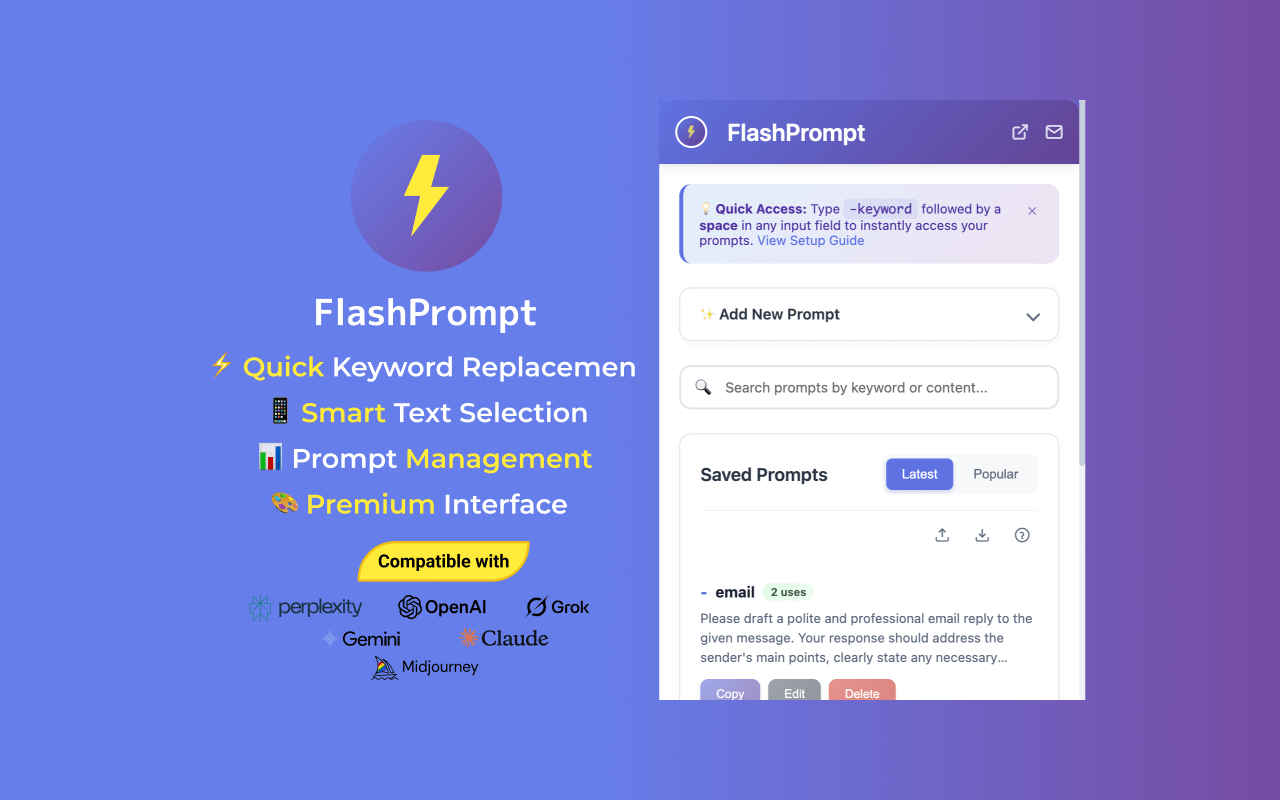
That is exactly what a dedicated Chrome prompt manager is built for. With FlashPrompt, you can:
- save prompts from any page
- manage prompts with keywords and folders
- insert prompts into ChatGPT, Claude, Gemini, Gmail, docs -- anywhere there's a textbox
References
- Google Search article structured data guidance
- Google Search spam policies and helpful content expectations
Related Reading
- How to Save Prompts in ChatGPT: The Ultimate 2026 Guide
- How to Organize AI Prompts Efficiently 2025
- Team AI Prompt Management
Final Takeaway
If you want a prompt library that scales in 2026, don't build a folder of prompts. Build a system:
Templates + fragments + keywords + light versioning + local-first storage.
That's how you save prompts once, and reuse them everywhere -- without losing speed or privacy.
#PromptLibrary #PromptManagement #SavePrompts #FlashPrompt
Related guides
How to Create and Save a Master Prompt in ChatGPT (2026 Guide)
Learn how to build and store a master prompt in ChatGPT for consistent AI outputs. A complete guide to building reusable, framework-driven prompts in 2026.
Offline AI Prompt Management: Complete Guide to Local-Only Tools
Comprehensive guide to offline AI prompt management. Discover local-only tools, privacy-focused solutions, and strategies for managing prompts without internet connectivity.
How to Reuse Prompt Everywhere: Universal AI Prompt Management 2026
Discover how to reuse prompts across ChatGPT, Claude, Suno, and more. FlashPrompt provides a seamless, local-first workflow for mastering your AI prompts anywhere.
Ready to reuse these prompts?
Save the prompts from this guide in FlashPrompt, or start from a ready-made example in the prompt library.