
OpenClaw Prompt Workflow: Use FlashPrompt for Stable AI Agent Output
Learn how to use FlashPrompt with OpenClaw to save reusable agent prompts, reduce inconsistent results, and build a more productive AI workflow.
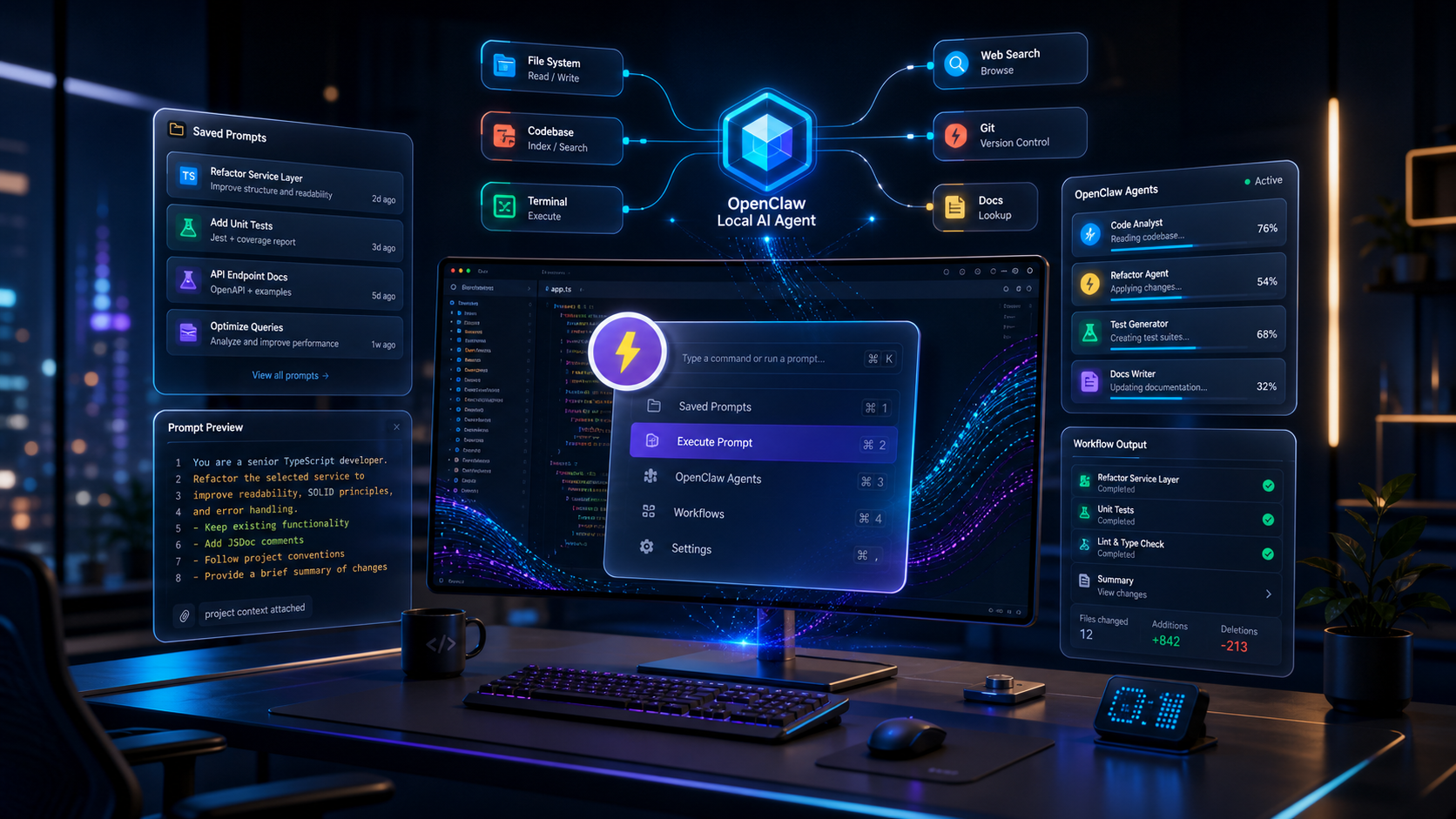
OpenClaw is interesting because it moves AI work beyond chat. Instead of only asking a model for advice, users can run a local assistant that connects to tools, channels, files, and workflows. That shift is powerful, but it also makes prompt quality more important.
When an AI agent can take real action, a vague instruction is no longer just a small inconvenience. It can waste time, produce inconsistent results, or push work in the wrong direction. A strong OpenClaw workflow needs repeatable instructions, clear constraints, and reusable operating patterns.
That is where FlashPrompt fits.
FlashPrompt is not a replacement for OpenClaw. OpenClaw is the agent environment. FlashPrompt is the prompt management layer that helps you store, find, and reuse the instructions that make the agent useful. Together, they form a practical workflow: OpenClaw executes, while FlashPrompt keeps your agent prompts organized and consistent.
Why OpenClaw workflows need better prompt management
According to the OpenClaw GitHub README, OpenClaw is a personal AI assistant that runs on your own devices and can answer through the channels you already use. It can also work with agent workspace files and skills, which makes it closer to an operating environment than a simple chatbot.
That creates a simple problem: the more capable the agent becomes, the more important the instruction becomes.
Many users start with prompts like:
- "Clean up this project."
- "Help me ship this feature."
- "Summarize my inbox."
- "Plan my week."
Those prompts may work once, but they are not stable workflows. They do not define scope, output format, tool limits, review steps, or stop conditions. The agent has to guess what quality means.
For casual chat, guessing is tolerable. For agent work, guessing is expensive.
A reusable OpenClaw prompt should answer:
- What role should the agent take?
- What exact task should it complete?
- What files, apps, or channels may it use?
- What should it avoid?
- What should the final output look like?
- When should it stop and ask for confirmation?
Writing that every time is slow. Trying to remember it from memory is unreliable. Saving it in a random note is better than nothing, but it still breaks your flow when you need the prompt quickly.
FlashPrompt solves the repeatability problem by turning agent instructions into a searchable, reusable library.
The productivity model: save the workflow, not just the sentence
The biggest mistake in prompt management is saving only short commands. A short command is easy to store, but it does not preserve the thinking behind the workflow.
For OpenClaw, you want to save full operating patterns.
Example of a weak prompt:
Review this repo and find issues.
Example of a reusable agent prompt:
Act as a senior software engineer reviewing this repository.

Goal:
Find the highest-risk implementation issues that could cause bugs, regressions, security exposure, or poor maintainability.

Scope:
- Inspect only the files related to the requested change.
- Do not rewrite unrelated code.
- Do not run destructive commands.
- Prefer existing project conventions over new abstractions.

Output:
- Start with concrete findings.
- Explain why each issue matters.
- Include suggested fixes.
- If no major issues are found, say that clearly and list remaining test gaps.

Stop condition:
Ask for confirmation before changing files.
This is the kind of prompt worth storing in FlashPrompt. It carries the reusable judgment, not just the surface-level request.
Once saved, you can retrieve it quickly whenever you want OpenClaw to inspect a codebase, triage a change, or prepare a review. The productivity gain is not just fewer keystrokes. The real gain is that your best workflow becomes available every time.
How FlashPrompt improves OpenClaw output stability
AI agents can feel inconsistent for three common reasons:
- the user gives different instructions each time,
- the output format changes because the prompt is underspecified,
- the agent does not know where autonomy should stop.
FlashPrompt reduces those problems by giving you a stable prompt source.
1. Consistent task framing
A saved prompt keeps the same role, goal, and boundary every time. If your OpenClaw workflow is "prepare a launch checklist," the agent should not sometimes write marketing copy, sometimes create a calendar plan, and sometimes start changing files.
Store a dedicated launch checklist prompt with:
- target audience,
- release type,
- required sections,
- risk review,
- final decision checklist.
Then reuse it instead of improvising.
2. Faster access during real work
Agent workflows often happen in the middle of other work. You may be in Slack, a browser, a GitHub issue, or a local project. If your prompt library requires opening a separate document and searching manually, you lose momentum.
FlashPrompt is designed for quick retrieval. You can keep prompts organized by names, keywords, and reusable patterns, then bring the right instruction into the place where you are already working.
This matters because productivity tools only work when they are easy enough to use every day.
3. Better quality control
When a prompt lives in your head, it is hard to improve. When it is saved, you can revise it after each run.
For OpenClaw, this creates a feedback loop:
- Run the saved prompt.
- Review the agent output.
- Notice what was vague or missing.
- Update the prompt once in FlashPrompt.
- Reuse the improved version next time.
Over time, your OpenClaw workflows become sharper. The agent may still be powered by a model, but your instructions become a tested system.
Practical OpenClaw prompts worth saving in FlashPrompt
Here are useful categories for developers and power users.
Code review agent prompt
Use this when you want OpenClaw to inspect a local project or a specific change.
Save it with keywords like:
openclaw reviewrepo auditcode risk
The prompt should define the review scope, severity order, test expectations, and what the agent should not touch without approval.
Project cleanup prompt
This is useful when a workspace has duplicated notes, outdated files, or unclear folders.
The important part is permission control. A cleanup prompt should ask the agent to inventory first, explain what it found, and wait before deleting or moving anything.
That keeps productivity high without turning automation into a guessing game.
Daily planning prompt
OpenClaw can be useful for planning because it can connect to channels and local context. A reusable planning prompt should define:
- time horizon,
- priority categories,
- calendar assumptions,
- output format,
- decision rules for deferring tasks.
Saved in FlashPrompt, this becomes a repeatable morning workflow instead of a daily blank-page exercise.
Research synthesis prompt
For research-heavy users, save a prompt that tells OpenClaw how to summarize notes, compare sources, and separate facts from assumptions.
This is especially useful when you need stable output. The prompt can require sections such as "confirmed facts," "open questions," "decision impact," and "recommended next action."
Support or operations prompt
If you use AI to handle recurring operational work, save prompts that define tone, escalation rules, and private data boundaries.
For example, a support triage prompt can ask the agent to classify issues, draft responses, and flag anything involving billing, account access, or legal risk for human review.
A simple setup workflow
You do not need a complex system to start. Use this structure:
- Give OpenClaw prompts a consistent keyword prefix, such as
openclaw-. - Add three starter prompts: review, plan, summarize.
- Give each prompt a clear trigger or searchable keyword.
- Add a "Permissions" section to every agent prompt.
- Add a "Final output" section to every agent prompt.
- After each useful run, improve the saved prompt instead of creating another duplicate.
The goal is not to build a huge prompt library. The goal is to build a small set of reliable workflows that you actually reuse.
Why lifetime access matters for this workflow
Prompt libraries become more valuable over time. Your saved OpenClaw prompts are not disposable notes; they are workflow assets. They capture how you prefer to review code, plan work, summarize research, and control agent behavior.
That is why FlashPrompt's pay-once, use-forever model fits this use case well. You can build a long-term personal prompt system without adding another recurring subscription to your tool stack. For current pricing, check the FlashPrompt pricing page rather than relying on hardcoded numbers in an article.
The bottom line
OpenClaw can help you run more capable AI workflows. FlashPrompt helps you make those workflows repeatable.
The practical combination is simple:
- use OpenClaw when you want an agent to act,
- use FlashPrompt when you want the instruction to be fast, consistent, and reusable,
- improve saved prompts after real runs,
- avoid letting powerful agents operate from vague one-line requests.
AI productivity does not come from asking more random questions. It comes from turning your best instructions into reliable systems. For OpenClaw users, FlashPrompt is a practical way to make that happen.
Related guides
Agent Harness Workflow: Use FlashPrompt to Get Stable AI Output
Learn how to combine an agent harness with FlashPrompt prompt management to create repeatable AI workflows, reduce context drift, and improve developer productivity.
Seedance 2.5 Prompt Workflow: Build a Repeatable AI Video Production System
A practical Seedance 2.5 prompt workflow for organizing video briefs, preserving creative consistency, and producing faster with FlashPrompt.
How to Save Prompt in ChatGPT: Practical 2026 Workflow for Power Users
Learn how to save prompt in ChatGPT with a repeatable workflow. Capture, organize, and reuse high-performing prompts without losing quality or speed.
Ready to reuse these prompts?
Save the prompts from this guide in FlashPrompt, or start from a ready-made example in the prompt library.