
Claude Oups 5 Guide: What Claude Opus 5 Means for Prompt Workflows
A practical Claude Oups 5 and Claude Opus 5 workflow guide for using FlashPrompt to keep long-horizon AI work consistent and reusable.
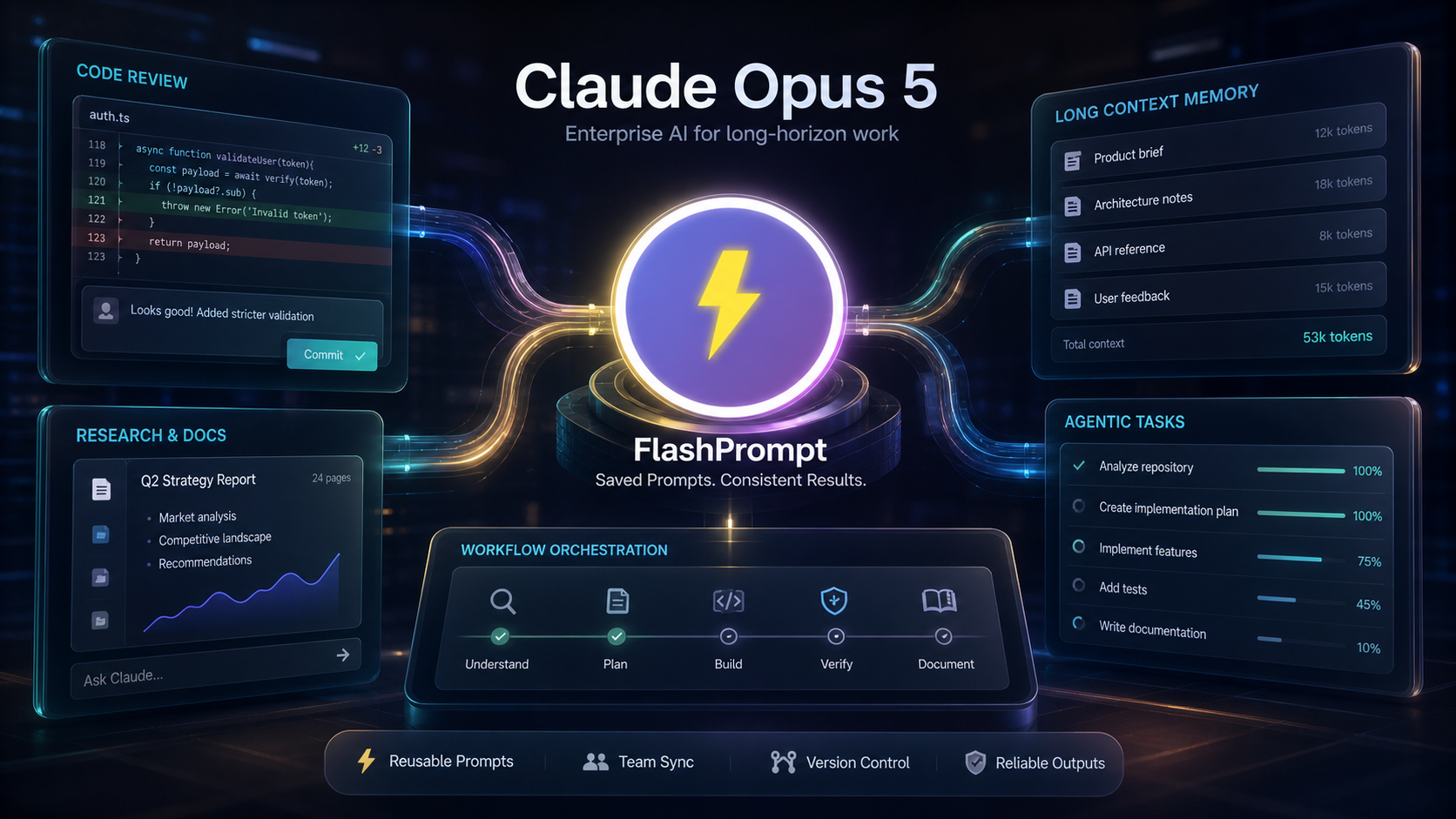
If you searched for Claude Oups 5, you almost certainly mean Claude Opus 5. The official model name from Anthropic is Claude Opus 5, and it is now positioned as the Opus-tier model for complex agentic coding and enterprise work.
That naming detail matters because the model is not just a faster chat assistant. Anthropic’s own documentation describes Claude Opus 5 as a major improvement over Claude Opus 4.8, with stronger deep reasoning, better long-horizon task handling, improved agentic coding, stronger code review, vision improvements, and a large context window.
For developers and power users, the practical question is simple: how do you use Claude Opus 5 without turning every task into a one-off prompt experiment?
The answer is to pair the model with a prompt management workflow. Claude Opus 5 can do more of the work. FlashPrompt helps you make the work repeatable.
What changed with Claude Opus 5
Anthropic’s Claude Opus 5 documentation highlights several changes that matter for real work:
- It is designed for complex agentic coding and enterprise workflows.
- It is stronger on multi-file features, larger refactors, and end-to-end implementation tasks.
- It can perform well on code review and bug-finding, with fewer weak findings.
- It has improved vision ability for charts, documents, diagrams, and UI replication.
- It supports long-context work, making it more useful for large project material.
- Thinking is on by default, with effort controls used to tune depth, latency, and cost.
That combination makes Claude Opus 5 useful for work that used to be difficult to hand to an AI assistant:
- Reviewing a large pull request.
- Planning a multi-step product change.
- Reading a dense document set.
- Turning research into a structured deliverable.
- Producing or editing long professional documents.
- Carrying a coding task through planning, implementation, verification, and summary.
The model is stronger, but the prompt still decides the shape of the work.
Why better models still need better prompts
It is tempting to assume a stronger model needs less guidance. That is only partly true.
Claude Opus 5 may need fewer workarounds than older models. Anthropic’s guidance even says to revisit older prompt-side vision workarounds and remove some repeated verification instructions that may now cause over-verification.
But removing outdated prompt clutter is not the same as removing structure.
For long-running work, a good Claude Opus 5 prompt still needs:
- a clear role,
- a concrete goal,
- scope boundaries,
- source rules,
- permission rules,
- expected output format,
- quality checks,
- a stop condition.
Without those pieces, the model may still produce a good answer, but the output can vary from one run to another. That is a problem when you use AI for repeated work.
Where FlashPrompt fits
FlashPrompt is a prompt manager for people who reuse AI instructions across tools. It helps you save prompts, organize them, and bring them back quickly when you need them.
With Claude Opus 5, this matters because the best prompts are no longer tiny one-line commands. They are reusable workflow instructions.
For example, a developer may save prompts for:
- code review,
- test generation,
- refactor planning,
- release notes,
- architecture explanation,
- bug reproduction,
- documentation updates.
A product or operations user may save prompts for:
- strategy briefs,
- meeting summaries,
- customer issue triage,
- research synthesis,
- launch planning,
- competitor analysis,
- executive updates.
Each prompt captures a working process. You do not need to rebuild that process every time.
A reusable Claude Opus 5 prompt template
Here is a practical template worth saving in FlashPrompt:
Role:
Act as a senior operator responsible for completing careful long-horizon work.

Goal:
Complete {{task}} using the provided context.

Scope:
- Use only the files, notes, and links I provide.
- Preserve existing project or team conventions.
- Do not make irreversible changes without asking first.
- Flag missing information instead of inventing details.

Workflow:
1. Restate the task in one short paragraph.
2. Identify risks, assumptions, and dependencies.
3. Create a step-by-step plan.
4. Execute the work in the requested format.
5. Verify the result against the original goal.

Output:
- Final deliverable
- Key decisions
- Remaining risks
- Recommended next action
This is a better starting point than "help me with this." It gives Claude Opus 5 enough room to reason, but it also prevents the model from drifting into a different style of work.
How to tune prompts for Claude Opus 5
Anthropic’s prompting guide says Claude Opus 5 performs well out of the box on existing Opus 4.8 prompts, but some behavior may need tuning. That is important.
Do not blindly copy every old prompt forward. Instead:
- Test your saved prompt on Claude Opus 5.
- Remove instructions that are now redundant.
- Keep the parts that define business logic, quality, tone, and output structure.
- Add stronger permission rules for agentic tasks.
- Save the improved version in FlashPrompt.
The goal is not to make the prompt longer. The goal is to make it clearer.
For Claude Opus 5, the most useful prompt improvements are usually simple:
- Replace vague goals with concrete deliverables.
- Say what source material should be trusted.
- Ask the model to separate facts from assumptions.
- Define when it should stop and ask.
- Give the final answer structure up front.
Why this improves productivity
Productivity does not come from asking AI more questions. It comes from turning repeated work into a stable system.
Claude Opus 5 gives you more capability for difficult tasks. FlashPrompt gives you a place to store the instructions that make those tasks reliable.
That combination helps in three ways:
- Faster starts: you do not rewrite the same long prompt every time.
- More stable output: each run starts from the same tested instruction.
- Easier improvement: when a prompt fails, you update one saved workflow instead of trying to remember what changed.
This is especially useful for teams. A shared prompt pattern helps multiple people get similar output quality, even if they are using Claude for different day-to-day tasks.
The bottom line
Claude Oups 5 is a common misspelling, but Claude Opus 5 is the model to know. It is built for harder coding, enterprise, document, and long-running agentic work.
That makes prompt management more important, not less. When a model can do larger tasks, the instruction should clearly define the task, the boundaries, and the output.
Use Claude Opus 5 for deep work. Use FlashPrompt to save the prompts that make that deep work repeatable. Over time, your prompt library becomes a practical operating system for getting consistent AI output without rewriting everything from scratch.
Sources: Introducing Claude Opus 5, Prompting Claude Opus 5, What's new in Claude Opus 5, and Claude models overview.
Ready to supercharge your AI workflow?
Join thousands of professionals using FlashPrompt to manage their AI prompts with lightning-fast keyword insertion and secure local storage.