
ChatGPT Work vs Claude Work: How to Manage Prompts Across AI Workspaces
Compare ChatGPT Work and Claude Work/Cowork, and learn how FlashPrompt keeps reusable prompts stable across modern AI work tools.
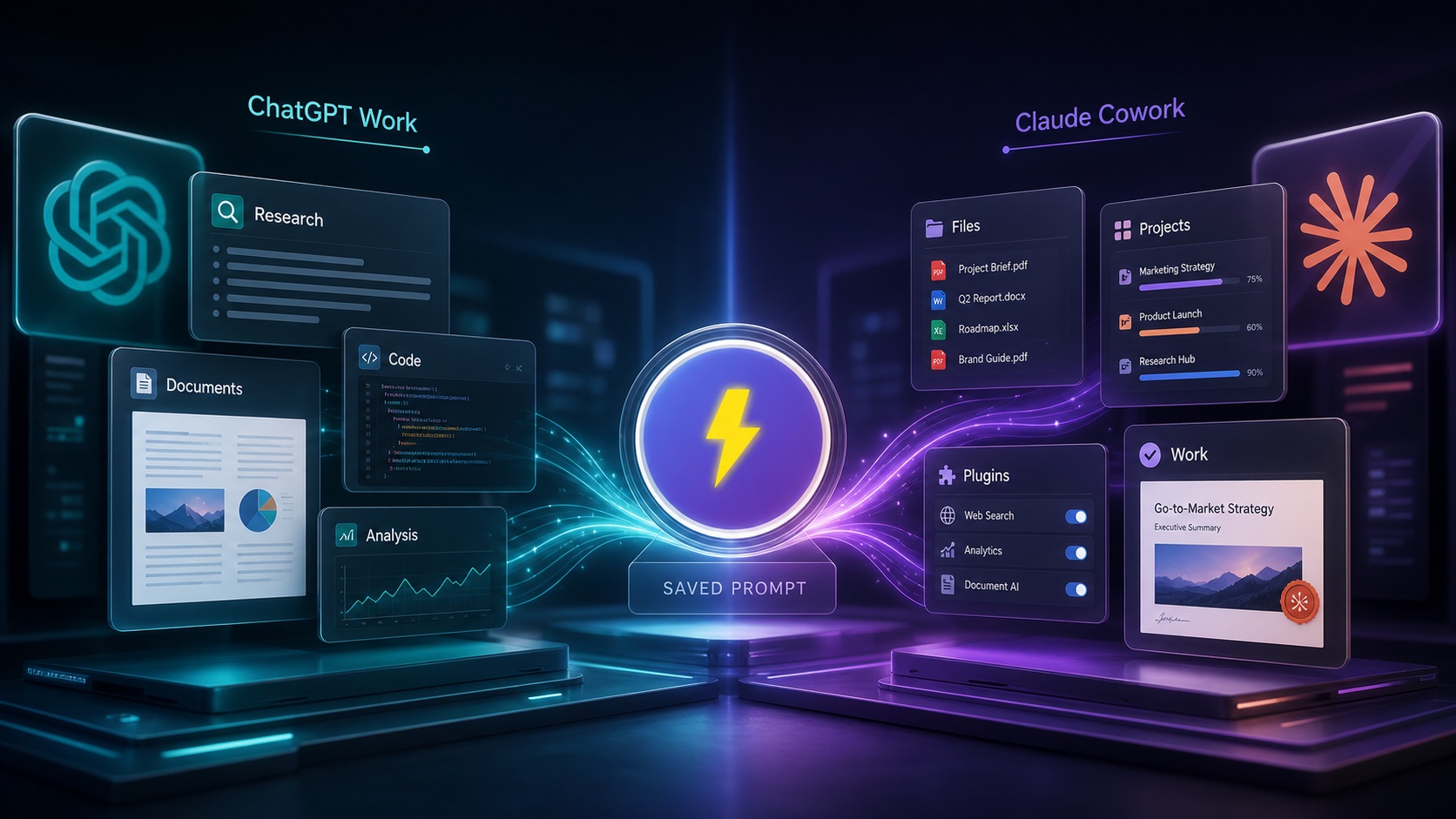
ChatGPT Work and Claude Work point to the same shift: AI is becoming a work environment, not just a chat window. Users are no longer asking only for answers. They are asking AI systems to plan, research, write, analyze, edit, and produce finished artifacts.
There is one wording note before we go further. Anthropic’s official language is usually "Claude for work" and "Claude Cowork." Many users still search for "Claude Work" because that is the natural phrase. In this article, Claude Work refers to Claude’s work-oriented product direction, especially Claude Cowork.
The real question is not which tool sounds more advanced. The real question is how to keep your work consistent across both.
What ChatGPT Work is built for
OpenAI says ChatGPT Work is powered by GPT-5.6 and can take an outcome, handle ambiguity, adapt as work changes, and deliver polished outputs with less prompting.
That makes it useful for broad professional tasks:
- research and synthesis,
- coding and review,
- document creation,
- spreadsheet and presentation work,
- tool-assisted analysis,
- multi-step planning.
With GPT-5.6 Sol, ChatGPT Work is especially relevant when the task is complex, open-ended, and needs a finished deliverable.
But "less prompting" does not mean "no prompt discipline." If you want repeatable work, you still need reusable instructions.
What Claude Work and Claude Cowork are built for
Anthropic’s Claude for work page focuses on helping teams implement Claude across an organization and improve productivity. It highlights work features like Artifacts, Projects, Skills, tool connections, and Claude Cowork.
Anthropic’s Cowork webinar describes the idea clearly: chat changed how people get answers, Claude Code changed how developers build software, and Cowork brings that execution power to broader work. The webinar examples include research synthesis, document creation, and data extraction.
Anthropic also publishes knowledge-work plugins for Claude Cowork. The repository says plugins can turn Claude into a specialist for a role, team, or company. It lists areas like productivity, sales, customer support, product management, marketing, legal, finance, data, engineering, and operations.
That matters because Claude Work is not only about better writing. It is about repeatable workplace processes.
The common problem: prompts get scattered
When teams use more than one AI workspace, prompts spread everywhere.
One person keeps a prompt in a note app. Another keeps it in a browser bookmark. A third person rewrites it from memory. Someone else pastes an old version from Slack.
The result is predictable:
- different output formats,
- repeated mistakes,
- unclear ownership,
- slower onboarding,
- less trust in AI-generated work.
This is not a model problem. It is a workflow problem.
Why FlashPrompt belongs between the tools
FlashPrompt gives users a practical place to store reusable prompt workflows. That matters whether you use ChatGPT Work, Claude Cowork, or both.
The model can change. The workspace can change. But many of your instructions should stay stable:
- how your team writes briefs,
- how you review code,
- how you summarize customer issues,
- how you plan launches,
- how you separate facts from assumptions,
- how you escalate risky decisions.
FlashPrompt acts as the reusable prompt layer. You can save a prompt once, refine it over time, and reuse it wherever the work happens.
A reusable prompt for both ChatGPT Work and Claude Work
Save a template like this in FlashPrompt:
Role:
Act as a senior knowledge worker helping produce reliable finished work.

Task:
Create a {{deliverable_type}} for {{audience}} using the provided context.

Rules:
- Use the source material first.
- Mark assumptions clearly.
- Do not invent metrics, quotes, or customer claims.
- Preserve the requested tone and format.
- Ask before making high-impact decisions.

Output:
1. Executive summary
2. Important context
3. Main recommendations
4. Risks
5. Open questions
6. Next actions
This works well because it is not tied to one model. It gives any serious AI work tool a clear shape.
When to use each workspace
Use ChatGPT Work when:
- you need strong reasoning across complex context,
- you want polished professional artifacts,
- you are working with GPT-5.6 Sol,
- you need coding, research, or multi-step analysis in one place.
Use Claude Work or Claude Cowork when:
- your team is organizing work through Claude Projects or Skills,
- you want role-specific plugins,
- you need long-form writing, research synthesis, or document workflows,
- you want Claude to operate inside a defined work loop.
Use FlashPrompt in both cases when:
- the task repeats,
- the output format matters,
- the prompt has been improved over time,
- you want less variation between team members.
The practical setup
Start with a shared prompt library:
- Create prompts by workflow, not by model.
- Name them clearly, such as "Research Brief," "Code Review," or "Launch Plan."
- Add rules for facts, assumptions, tone, and final structure.
- Test the same prompt in ChatGPT Work and Claude Cowork.
- Keep the version that produces the most reliable result.
- Update the saved prompt when your team learns something.
This is a simple system, but it prevents a lot of messy AI work.
The bottom line
ChatGPT Work and Claude Work are both moving toward outcome-based AI. They can do more than answer questions. They can help produce real work.
That makes prompt management more important, not less.
FlashPrompt helps you keep the best parts of your workflow reusable: the instructions, the quality rules, the output structure, and the lessons learned from previous runs. If your team uses both ChatGPT Work and Claude Cowork, a shared prompt layer is what keeps the experience from becoming scattered.
Sources: ChatGPT Work, Claude for work, Introducing Cowork webinar, and Anthropic knowledge-work plugins.
Ready to supercharge your AI workflow?
Join thousands of professionals using FlashPrompt to manage their AI prompts with lightning-fast keyword insertion and secure local storage.