
ChatGPT Work With GPT-5.6 Sol: How to Keep AI Workflows Consistent
Learn how GPT-5.6 Sol changes ChatGPT Work, and why FlashPrompt helps teams save reusable prompts for stable professional output.
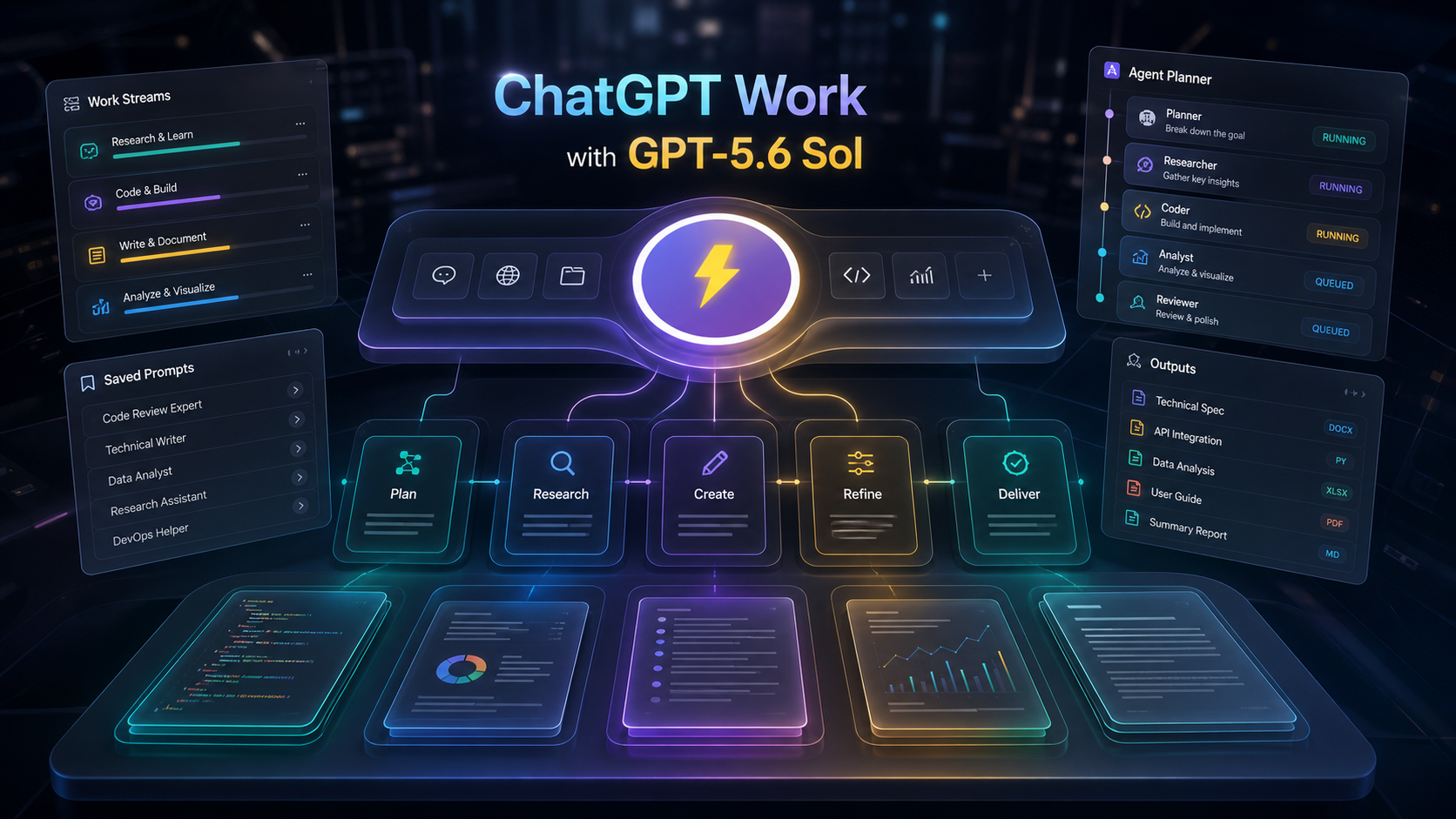
ChatGPT Work is a clear signal that AI tools are moving from simple chat toward finished professional work. OpenAI describes ChatGPT Work as a place where GPT-5.6 Sol, Terra, or Luna can take an outcome, navigate ambiguity, adapt as work unfolds, and deliver polished outputs with less prompting.
That sounds convenient, but it also changes the user’s job. When the model can do more, the quality of the starting instruction matters more. A weak prompt may still produce something impressive, but it may not match your team’s standard, format, voice, or decision rules.
This is where FlashPrompt becomes useful. GPT-5.6 Sol can handle complex work. FlashPrompt helps you save the instructions that make that work repeatable.
What GPT-5.6 Sol adds to ChatGPT Work
OpenAI positions GPT-5.6 Sol as the flagship model in the GPT-5.6 family. The official launch post says Sol is designed for coding, knowledge work, cybersecurity, science, stronger computer use, and design judgment. OpenAI also says GPT-5.6 introduces an ultra setting for demanding work, coordinating multiple agents across parallel workstreams.
The practical meaning is simple: ChatGPT Work is becoming less like a blank chat box and more like a work environment.
Instead of asking:
- "Can you summarize this?"
- "Can you write a draft?"
- "Can you check this code?"
users can ask for broader outcomes:
- "Turn these notes into a client-ready strategy brief."
- "Review this project and prepare a release checklist."
- "Compare these research sources and identify the decision impact."
- "Create a polished document that follows this reference structure."
OpenAI’s GPT-5.6 materials also emphasize professional outputs like documents, presentations, spreadsheets, browsing workflows, tool use, and computer use. In other words, the model is better at doing the whole job, not just answering a question.
The hidden problem: more capability means more variance
Powerful models can cover more ground, but that can create a new problem: output drift.
If you give GPT-5.6 Sol a loose instruction, it may choose its own structure. One day it writes a memo. Another day it writes a checklist. Another day it adds extra analysis that you did not need.
That is not because the model is weak. It is because the work is underspecified.
For reliable ChatGPT Work output, your prompt should define:
- The role the model should take.
- The business outcome.
- The source material it should use.
- The decisions it should not make alone.
- The output format.
- The quality bar.
- The stop condition.
Writing that from scratch every time defeats the point of a faster work tool.
Why FlashPrompt fits ChatGPT Work
FlashPrompt is built for reusable prompts. It gives power users and teams a way to save, organize, and quickly reuse the instructions that already work.
For ChatGPT Work with GPT-5.6 Sol, that means you can keep a stable library for common professional tasks:
- strategy briefs,
- research synthesis,
- code review,
- product requirements,
- sales follow-up,
- support escalation,
- meeting summaries,
- launch checklists.
Instead of depending on memory, you store the full workflow once. Then you reuse it when the task comes back.
A practical GPT-5.6 Sol prompt template
Here is a reusable structure worth saving in FlashPrompt:
Role:
Act as a senior operator responsible for producing finished professional work.

Goal:
Turn the provided context into a complete deliverable for {{audience}}.

Context:
Use only the pasted notes, uploaded files, and linked sources I provide.

Constraints:
- Preserve factual accuracy.
- Separate confirmed facts from assumptions.
- Do not invent missing numbers.
- Ask before making irreversible or high-impact decisions.

Output:
Create a polished {{deliverable_type}} with:
1. Executive summary
2. Key findings
3. Recommended actions
4. Risks and open questions
5. Next-step checklist
This kind of prompt is more useful than a one-line request because it tells ChatGPT Work how to behave, not just what topic to cover.
How to build a better ChatGPT Work system
Start small. Do not create fifty prompts on day one. Build a library around the work you repeat.
A good starting set:
- Research brief prompt.
- Decision memo prompt.
- Code review prompt.
- Meeting-to-action-plan prompt.
- Customer issue summary prompt.
After each run, improve the saved prompt. If GPT-5.6 Sol added too much detail, tighten the output section. If it missed risks, add a risk review step. If the tone was wrong, save a clearer voice rule.
The goal is not to control every word. The goal is to make good output easier to get again.
Where prompt management matters most
FlashPrompt is especially useful when the task has a repeated structure.
Examples:
- A product manager always needs specs in the same format.
- A developer always wants code review findings prioritized by risk.
- A founder always wants investor updates with the same sections.
- A marketer always wants campaign briefs with audience, angle, offer, and channel.
- A support lead always wants escalations summarized with severity and owner.
GPT-5.6 Sol can help produce these artifacts. FlashPrompt helps keep the process stable.
The bottom line
ChatGPT Work with GPT-5.6 Sol raises the ceiling for professional AI output. But higher capability does not remove the need for clear instructions.
If anything, it makes reusable prompts more valuable.
Use ChatGPT Work when you want the model to turn context into finished work. Use FlashPrompt when you want your best instructions ready every time. Together, they help you move from one-off prompting to a more reliable AI workflow.
Sources: OpenAI GPT-5.6 launch, ChatGPT Work, and GPT-5.6 in ChatGPT Help Center.
Ready to supercharge your AI workflow?
Join thousands of professionals using FlashPrompt to manage their AI prompts with lightning-fast keyword insertion and secure local storage.